
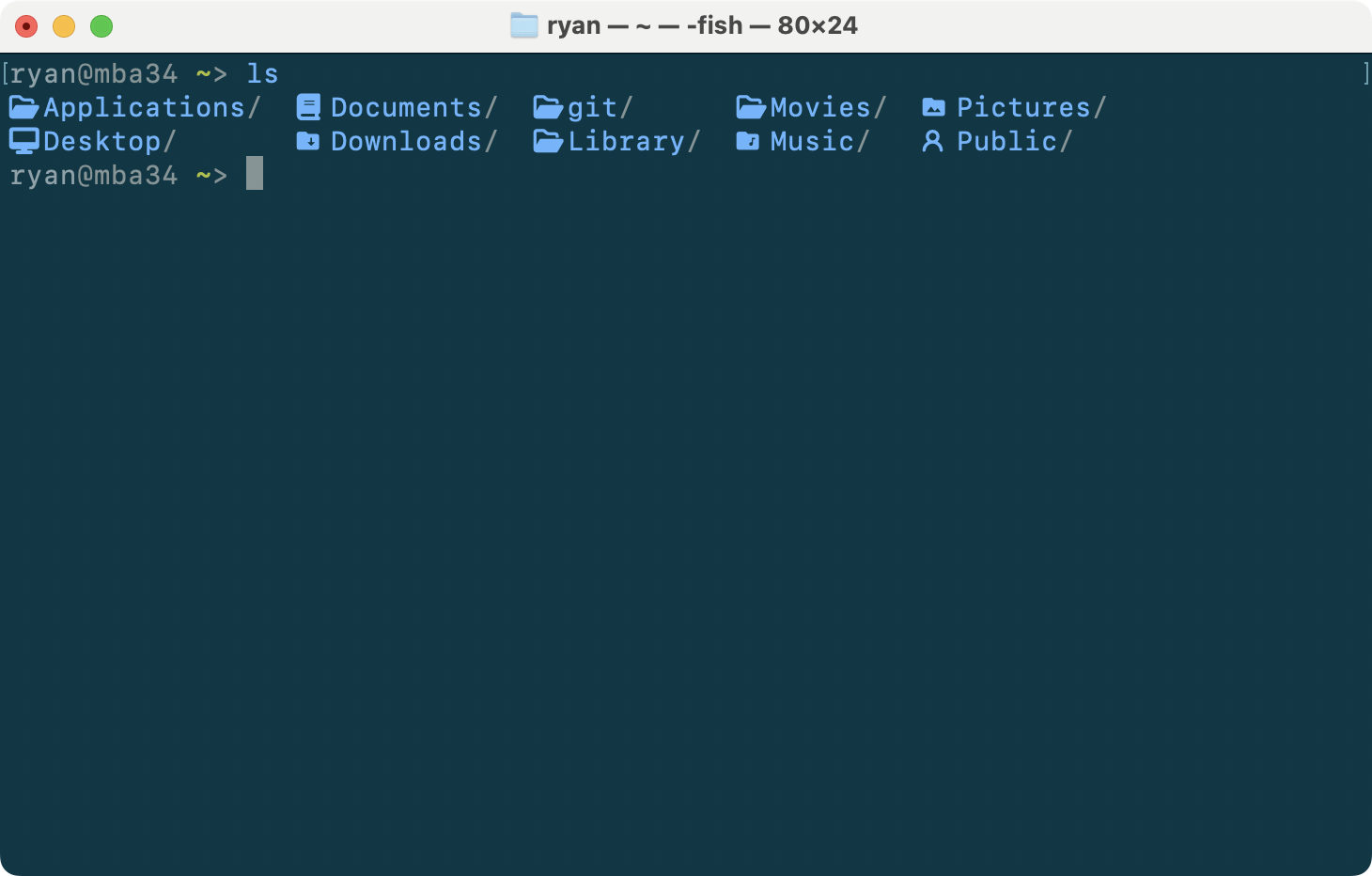
I love the look of Apple’s SF Mono, and I want Nerd Font glyphs for coding. This guide patches one into the other. The patching runs entirely in Docker, so nothing but the source .otf files and the final patched .otf files ever touches your machine. No Homebrew, no FontForge, no Python, no cloning the nerd-fonts repo.
That also makes the patching step platform independent. The same docker run works on macOS, Linux, and WSL. Only sourcing the font and installing the result are OS-specific. SF Mono is the example here, but the Docker step works on most other fonts too.
Why patch it yourself
Apple’s SF Mono is proprietary, and its license prohibits redistribution. Any pre-patched version you find on someone’s GitHub violates those terms. Beyond the legal problem, a font binary from an unverified source is something you’re installing and running without knowing what’s in it. Patch it yourself and you respect the license and know the file is clean.
Get the source fonts
Apple hosts SF Mono on a public CDN with no login:
curl -sS -L -o SF-Mono.dmg https://devimages-cdn.apple.com/design/resources/download/SF-Mono.dmgThe dmg contains SF Mono Fonts.pkg. On macOS, pull the 12 .otf weights out of the pkg without installing it system-wide:
hdiutil attach SF-Mono.dmg -nobrowse -mountpoint /tmp/sfmono_mnt
pkgutil --expand-full "/tmp/sfmono_mnt/SF Mono Fonts.pkg" pkg_expand
mkdir -p src
find pkg_expand -iname '*.otf' -exec cp {} src/ \;
hdiutil detach /tmp/sfmono_mnt
The source fonts land in src/ as SF-Mono-Regular.otf, SF-Mono-Bold.otf, and so on, including the italics.
On Linux or WSL there’s no dmg. Get the SF Mono .otf files however you legally have them and drop them in src/. The Docker step is identical from here.
Patch in Docker
You need Docker Desktop installed and running for this step. Nerd Fonts publishes an official nerdfonts/patcher image, so there’s no Dockerfile to write and nothing else to install:
mkdir -p out
docker run --rm \
  -v "$PWD/src":/in:ro \
  -v "$PWD/out":/out \
  nerdfonts/patcher --complete
This patches every font in src/ and writes the results to out/. --complete adds all the glyph sets. You’ll get twelve SFMonoNerdFont-*.otf files:
out/
├── SFMonoNerdFont-Light.otf
├── SFMonoNerdFont-LightItalic.otf
├── SFMonoNerdFont-Regular.otf
├── SFMonoNerdFont-Italic.otf
├── SFMonoNerdFont-Medium.otf
├── SFMonoNerdFont-MediumItalic.otf
├── SFMonoNerdFont-SemiBold.otf
├── SFMonoNerdFont-SemiBoldItalic.otf
├── SFMonoNerdFont-Bold.otf
├── SFMonoNerdFont-BoldItalic.otf
├── SFMonoNerdFont-Heavy.otf
└── SFMonoNerdFont-HeavyItalic.otf
The run prints a lot of FontForge lines like glyph named X is mapped to U+... but its name indicates.... Those are informational, not errors. Let them scroll by.
Install the patched fonts
On macOS, a user-level install needs no sudo:
cp out/SFMonoNerdFont-*.otf ~/Library/Fonts/They show up in Font Book and in your apps. On Linux, copy them to ~/.local/share/fonts/ and run fc-cache -f. On Windows, select the files, right-click, and choose Install.
The family name gotcha
The patched family registers as SFMono Nerd Font: one word “SFMono”, a space, then “Nerd Font”. Not “SF Mono Nerd Font”. This is the string you put in your terminal and editor config, and getting it wrong is the usual reason a setup silently doesn’t work. Use it in your terminal and editor config wherever you’d name a monospace font.
That’s it. Apple’s typeface, Nerd Font glyphs, and nothing left behind on your machine but the fonts themselves.
How I use the glyphs
The patched font is what makes a tool like lsd worth running. lsd is ls with file-type icons, and those icons come from the Nerd Font glyphs you just installed. The screenshot at the top of this post is lsd rendering in SFMono Nerd Font.
I install it with webi, same as the rest of my toolchain. It drops into ~/.local/bin with no Homebrew and no sudo:
webi lsd
Then I alias my everyday ls commands over to it with aliasman, a small cross-shell alias manager. It writes to ~/.config/envman/alias.sh and works the same in bash, zsh, and fish, so I’m not editing three different rc files by hand:
webi aliasman

aliasman ls 'lsd -F'
aliasman la 'lsd -AF'
aliasman ll 'lsd -lAhF'
aliasman tree 'lsd -F --tree'
Open a new shell and ls, ll, and tree all render with icons in SF Mono. Same approach works for any glyph-aware tool: install it with webi, alias it in with aliasman, and the patched font does the rest.